
Sg2.9
Boxes Flow
Recent RSS
Creator:  Andrea Pinchi
Date:  19. April 2012, 16:54

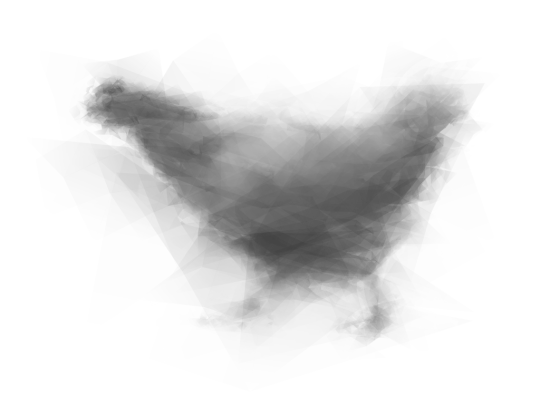
The tool generates a line made of three-sided or four-sided polygons.
If you select a raster image, the tool will draw the path using the image's colors.
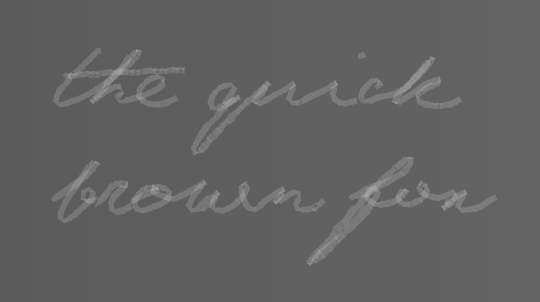
A nice and quick tool to write and draw.

//////VERSION 1.2

  • minor bug fix

//////VERSION 1.1

  • removed the necessity to keep the image selected
  • improvement on the "pressure" size variance by Max Kloker
drawing
writing
Re: Boxes Flow
From:  Mehmet Yaman
Date:  10. May 2012, 12:53

Hello,

thanks for this nice tool, I have one question: if I select a raster image, the tool doesn’t draw the path using the image's colors. How it works?

Regards
M.

Re: Boxes Flow
From:  Andrea Pinchi
Date:  10. May 2012, 13:00

Hello,
make sure the image is not "linked" but "embedded" on the Illustrator canvas
from menu select File > Place...
then select an image and uncheck the checkbox "Link"

enjoy :)

Re: Boxes Flow
From:  Alina
Date:  14. May 2012, 09:26

hi!
I like idea but have error in line 203 with making newGradient(). Could you help me?

Re: Boxes Flow
From:  Andrea Pinchi
Date:  14. May 2012, 10:52

Hi Alina,
Which version of Scriptographer and Illustrator are you using? Have you tried the Solid Fill option to check if is only a problem with Gradients? Let me know

Re: Boxes Flow
From:  Alina
Date:  15. May 2012, 01:51

Hi!

Sorry, that was my mistake :(
Thank you for the great tool :)

I'll be waiting for other interesting tools from you :)

Re: Boxes Flow
From:  Lucair
Date:  1. July 2012, 15:11

Hi I tried applying your script to an image: the palette pops up, I can change the values, but nothing happens to the image, am I missing something?

Re: Boxes Flow
From:  Andrea Pinchi
Date:  1. July 2012, 16:50

Hi Lucair,
yes nothing should happens to the image itself, as an interactive tool requires that you "draw" over the image

Re: Boxes Flow
From:  sarah
Date:  9. November 2012, 15:47

hey everybody,

could you give me an exact tutorial how i can use this script. I do something wrong but i don´t find the mistake.

Thank you very much.

Re: Boxes Flow
From:  Andrea Pinchi
Date:  9. November 2012, 16:17

Hi Sarah,
here's a steb-by-step instructions in order to use the script:

  • place an image on the canvas, make sure the image is not "linked" but "embedded" on the Illustrator canvas

from menu select File > Place...
then select an image and uncheck the checkbox "Link"

  • select "the boxes flow" script form the "scriptographer" palette in illustrator and click the small "play" button, on the lower left corner.
  • in the tools palette select the little yellow pencil
  • "draw" over the image you've placed before
  • enjoy :)

if you need additional instructions, have any doubt or want to contribute to the script, feel free to drop me a line : mail me

Re: Boxes Flow
From:  Cesar
Date:  12. December 2012, 06:42

its was working fine but now i get this message in the console: "Cannot set gradient stop" do u know whats going on?

Scripts
08.08.14, 15:24
15.05.14, 14:23
02.03.14, 19:16
18.11.13, 14:48
22.03.13, 03:05
22.02.13, 15:45
Posts
10.01.17, 16:37
19.02.16, 06:03
19.02.16, 06:00
17.01.16, 11:00
12.01.16, 13:10
25.11.15, 08:19